 NightFast
Night-you
has backup.
NightFast stops late-night snacking right when the fridge starts calling: a gentle nudge, a 10-minute craving timer, and a streak that counts every good night. No willpower speeches.
Wind-down starts here.
Built around your night, not a diet.
Tell it about your nights
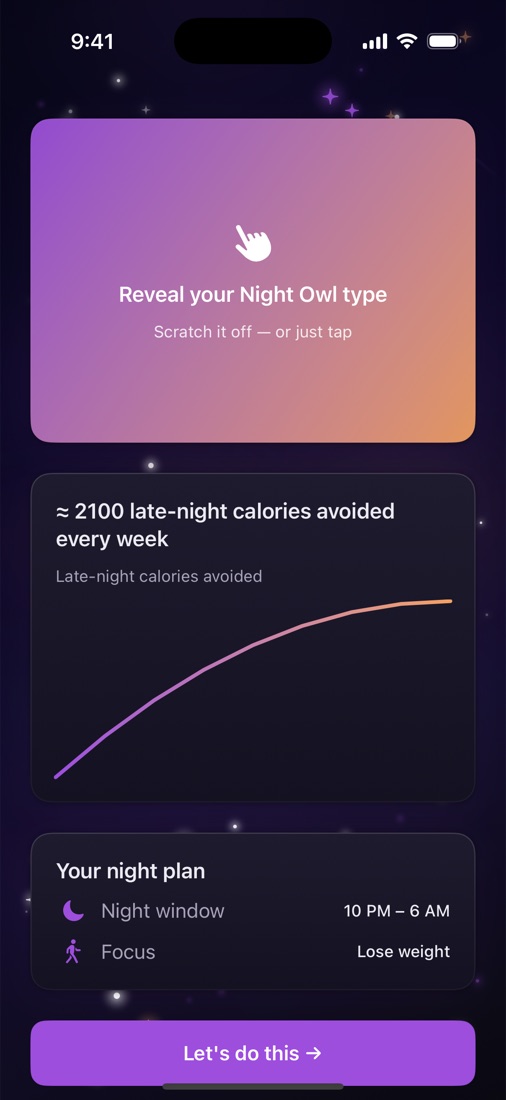
A 60-second quiz sets your night window. It follows your clock, not the sun's.
Get nudged at the right moment
Prompts during your window, in the tone you pick: supportive, direct, gentle or funny.
Wait out the craving
Ten minutes with a breathing circle. Most cravings fade. If not, log it, no shame.
Stack good nights
One tap each morning. Watch your streak climb and your Nights calendar fill in.
What's in the app.
Everything you need after dark.
The 10-minute craving timer
Cravings peak and pass. Breathe with the circle and let it fade. Start it from the app, a widget, Siri or Control Center.
Your good-night streak
this month
A small model on your iPhone learns your riskiest hours so prompts land at the right moment.
Runs 100% on your deviceSpot your triggers
Bored, stressed, tired, hungry or habit? One tap after a snack reveals your pattern in Insights.
Widgets, Siri and Control Center
Your streak on the Lock Screen. “Hey Siri, I'm craving a snack in NightFast.” A craving button in Control Center.
Light night bites
Sleep-friendly recipe ideas with photos, for when you're actually hungry.
Log in seconds
Search, scan a barcode or Quick Log your usuals. Pin favorite snacks. Calories and macros at a glance.
Sunday recap
A short, kind look back at your week of nights, with no lectures.
Easy on night eyes
A dark design built for 2 AM, plus optional warm night dimming.
Who it's for.
Whoever's awake at 2 AM.
Night owls
Your brain wakes up at 11 PM, and so does your appetite. NightFast meets you there.
New parents
3 AM feeds don't have to mean 3 AM snacks. Gentle support, zero guilt.
Night-shift workers
Set a night window that fits your rota, not a 9-to-5 that isn't yours.
What stays on your phone.
Your nights stay yours.
Your food log, check-ins and patterns live on your iPhone. The AI runs on device. Apple Health is optional, and we never sell or share your data with advertisers.
Free is the real product.
Free to start. Pro when you're ready.
Everything that helps you stop snacking is free. Pro adds unlimited logging and power tools.
Free
- Night prompts and Live Activities
- 10-minute craving timer
- Morning check-in and streaks
- On-device AI predictions
- Widgets, Siri and Control Center
- 20 food logs a day
NightFast Pro
- Everything in Free
- Unlimited food logging
- Custom meal schedules for any shift
- Detailed insights and trends
- Apple Health sync
- Grocery lists
- Family Sharing (up to 5 family members)
Prices in USD. Local prices may vary. Pro is purchased in the app. Subscriptions renew automatically unless cancelled at least 24 hours before the end of the period. Manage or cancel in your Apple ID settings. See our Terms.
Quick answers.
Questions
Is NightFast really free?
Yes. Night prompts, the craving timer, check-ins, streaks, the on-device AI and 20 food logs a day are free. NightFast Pro is optional.
Do I have to count calories?
Nope. Logging is there if you want it. Many people use only the night prompts, craving timer and streak.
Does it work if I work nights?
Yes. Set your own night window, for example 2 AM to 10 AM, and NightFast times everything around it.
What do I need?
An iPhone running iOS 18 or later. The Control Center button also needs iOS 18.
Tonight could be a good night.
Download NightFast free and give night-you some backup.